The ADP: HUN-REN's own AI platform

The Agentic Discovery Platform (ADP) gives you a single interface for language models – both those running on the infrastructure of the Hungarian Research Network (HUN-REN) and those from external providers – as well as scientific AI tools and agents. You can use it for everyday writing tasks and for multi-step research work.

For staff of contracted institutes
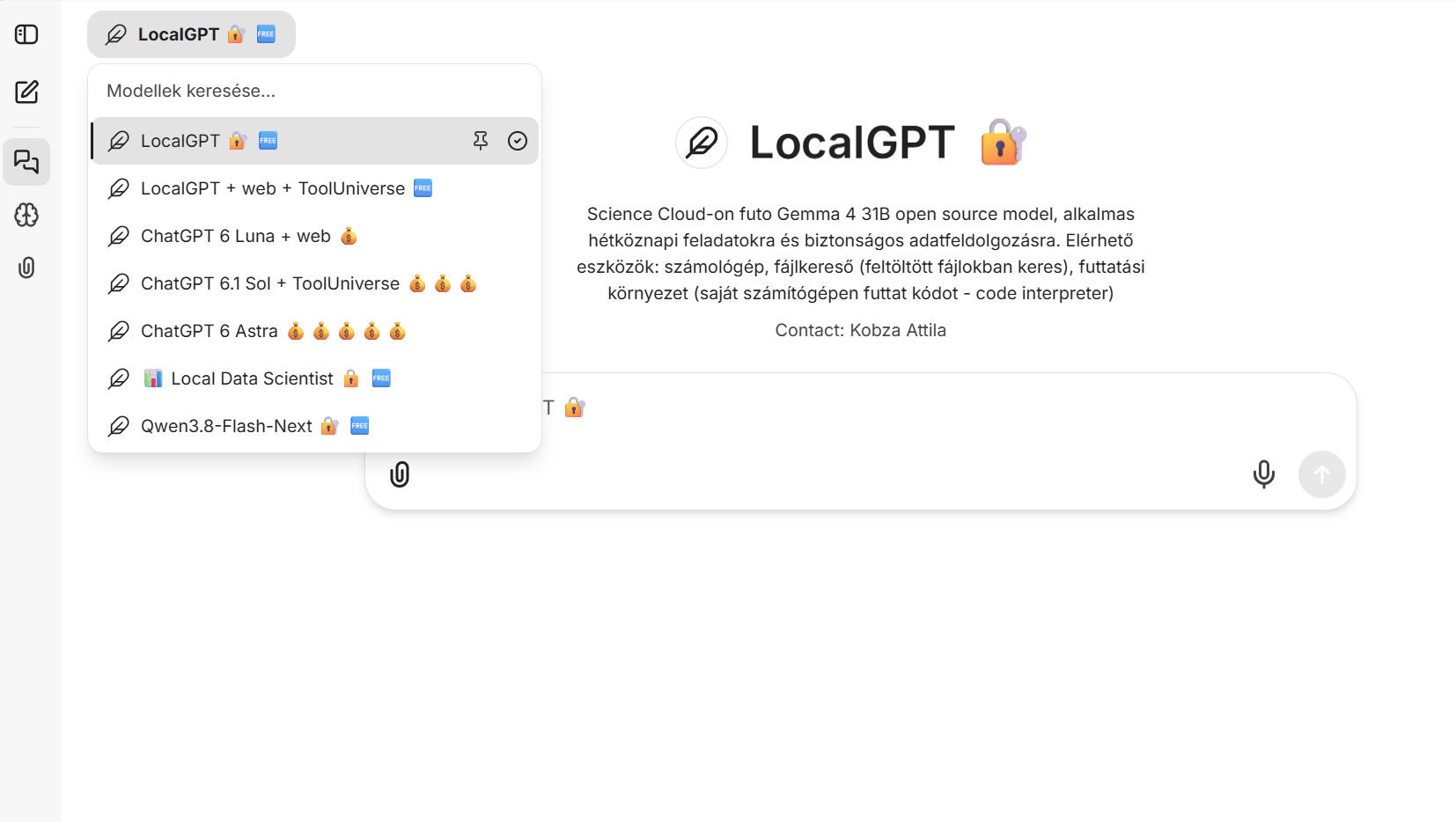
Photo: ADP screenshot

Access levels

All staff at contracted institutes can use the ADP. Your institute decides on the token budget needed for tools that incur costs.

Basic access

An AI assistant for everyday work

Models running on HUN-REN's own infrastructure, such as LocalGPT, are free to use. Your questions and uploaded files are not sent to external providers.

  • Writing, summaries and documents
  • Searching your own documents
  • Code generation and data processing
  • Brainstorming and problem-solving
Requirement: institutional contract
Extended access

AI tools for complex research tasks

Frontier models, a scientific toolkit and agents for multi-step research workflows.

  • Literature research and hypothesis generation
  • Real-time web search
  • Data analysis with code execution
  • Thousands of scientific tools (ToolUniverse)
Requirement: successful completion of the ‘Agentic Discovery Platform training – Researcher access level’ course and final exam. Tools that incur costs also require a token budget allocated by your institute.

Getting started

  1. 1

    Sign in

    Open the ADP at adp.hun-ren.hu, select ‘Bejelentkezés HUN-REN SSO’ (Sign in with HUN-REN SSO) and sign in with your institutional credentials.

    You can sign in without a contract, but you can only use the platform's tools once your institute has signed the contracts. If you don't know whether your institute has signed them yet, ask your institute's Platform Administrator or AI officer.

  2. 2

    Use basic access

    Staff of contracted institutes automatically get basic access. With it, you can use models running locally on HUN-REN infrastructure (e.g. LocalGPT), which need no token budget.

  3. 3

    Extend your access

    Sign in to HUN-REN's Moodle system, complete the ‘Agentic Discovery Platform training – Researcher access level’ course and pass the final exam. You then automatically get extended access, and the tools available at this level appear. Which of them you can actually use depends on the token budget set for you.

  4. 4

    Token budget

    Your institute allocates token budgets to users. If you need a budget or a larger one, contact your institute's Platform Administrator.

    You can use LocalGPT (with basic access) and ToolUniverse running on LocalGPT (with extended access), for example, without a token budget. Tools that incur costs, such as frontier models (including ChatGPT), require a token budget from your institute.

Courses and workshops

For extended access, you need to complete the online ADP course (Agentic Discovery Platform training – Researcher access level) and pass the final exam. ADP workshops and Lunch & Learn recordings help you put the platform to practical use.
New to Moodle? Login guide

All training
OnlineRequired for extended access

Agentic Discovery Platform training – Researcher access level

An online course with a final exam in HUN-REN's Moodle system. Once you pass the exam, you automatically get extended access to the ADP.

Open course
At your institute

ADP workshop

A practical introduction to using the ADP, held at your institute. You can find the dates in the events calendar.

Events calendar
Video

Lunch & Learn recordings

Practical demonstrations of ADP tools and how you can use them.

Video library

AI Governance basics

Recommended

The basics of responsible AI use: the main rules of the EU AI Act and what you need to know about data security. It is not required for using the ADP, but we recommend it.

Open course

Mini-server for sensitive data

For sensitive data, you can request a mini-server with a local model that runs without a network connection and is installed at your institute. This way, your data never leaves the institute.

Request one

Access and permissions

Institute Platform Administrator

Access, access level and the budget your institute provides.

Sign-in problems

Local IT support

Problems with signing in through your institute.

Rules and approval

Institutional AI officer

Internal rules on AI use, training requirements and approvals.

Reporting a fault

adp.support@hun-ren.hu

Briefly describe the problem, the tool affected and the time it occurred.

Suspected incident: Report it within one hour to adp.incidens@hun-ren.hu. Suspicions must be reported too.

Incident management protocol

Important: AI tools can be inaccurate. You upload content protected by copyright or other rights at your own risk, and you use any results at your own risk.

ADP terms and other documents